

How To Add Your E-Book To Google eBookStore
1
In case you missed it, Google just launched its all new ebook store to give authors, publishers, and ebook fans more ways to publish and consume content. Google ebooks are stored in the cloud, allowing e-book buyers to access their content on multiple devices. With over 3 million titles available in Google’s eBook Store, it will be a formidable challenger to other similar services on the market. Google eBookStore may not be compatible with Kindle platform, but it is still a must try for anyone who has an e-book to sell. Adding your book to Google eBookStore is not that difficult. Here are the steps you need to take to get the job done
1. sign up for Google Books Partner Program: in order to upload and add your book to Google’s eBook Store, you will need to sign up for a Google Books Partner account. All you have to do is provide your personal and company information, and you are well on your way.
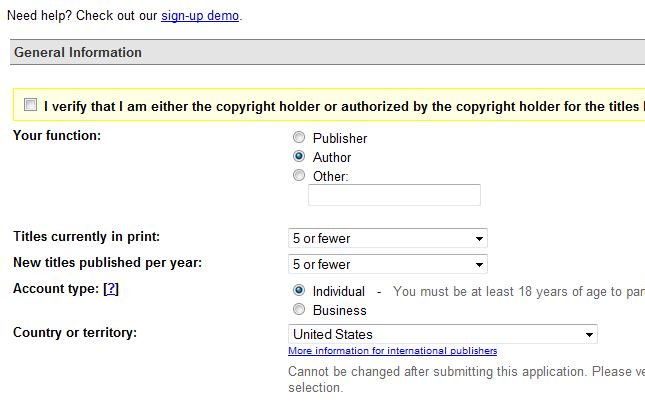
The nice thing about working with Google is that you can use your existing Google account to save yourself some time and get started with this program quickly.
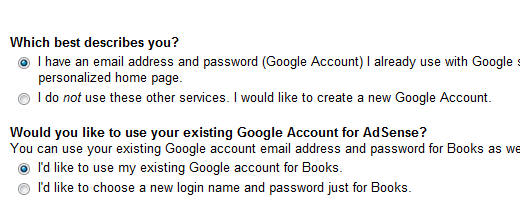
Have not used Google Accounts in the past? You can always sign up for a new one.
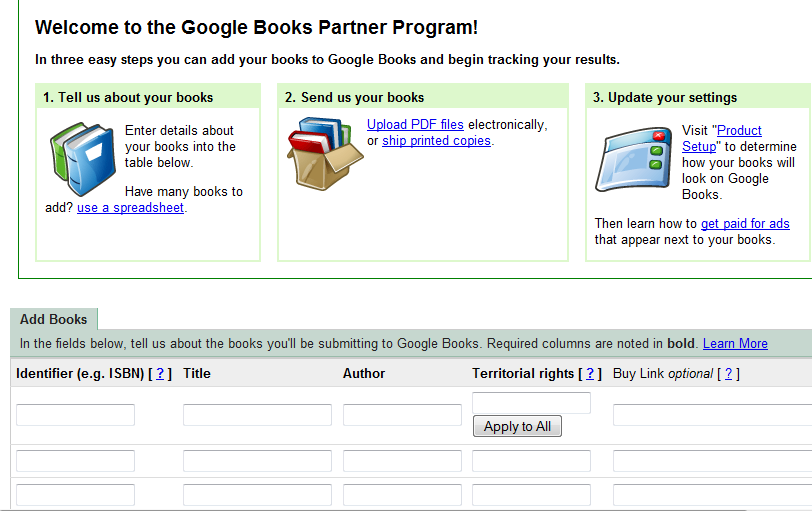
2. enter your book information and upload: once you have logged on to your account, you can upload your PDF files and add them to Google eBook Store. Just make sure you name your PDF file the right way and enter the right buy link URL for your book. Make sure you have the rights to sell your book in the territory you define.
Things to Remember:
- Naming your book: you need to follow Google’s naming guideline to allow Google to process your books more effectively. The main content of your book should be named <ISBN>_content.pdf if you plan to submit your book with an ISBN (need to do so for ePub files). Otherwise, you can just go with YourBookName.pdf format.
- Set Books Browsable %: determines the percentage of pages that users can view during a 30 day period (from 20% to 100%).
As you can see, uploading your e-book to Google eBookStore is quite straightforward. It is a shame that these e-books won’t be compatible with Kindle. That should not stop you from submitting your work to Google or trying the ebooks available in this store.
P.S. got more questions about this service? Don’t forget to ask them here.